
How to find and understand account overlaps?
An overlap is an account you and a partner both work with. This article explains how to find overlaps on the Accounts page and on each partner's Account Mapping tab, and how to read the overlap counts.
Prerequisites
- You must have imported your accounts. See How to import your accounts with a CSV data source?.
What is an overlap?
An overlap occurs when one of your accounts matches one of a partner's accounts. In other words, you and the partner are both engaged with or target the same company. Kiflo detects overlaps automatically and counts them by account type: Customer, Opportunity, and Prospect.
Finding overlaps on the Accounts page
From Account Mapping → Accounts, each row is one of your accounts. The Partner prospects, Partner opportunities, and Partner customers columns show how many partner accounts overlap with it.
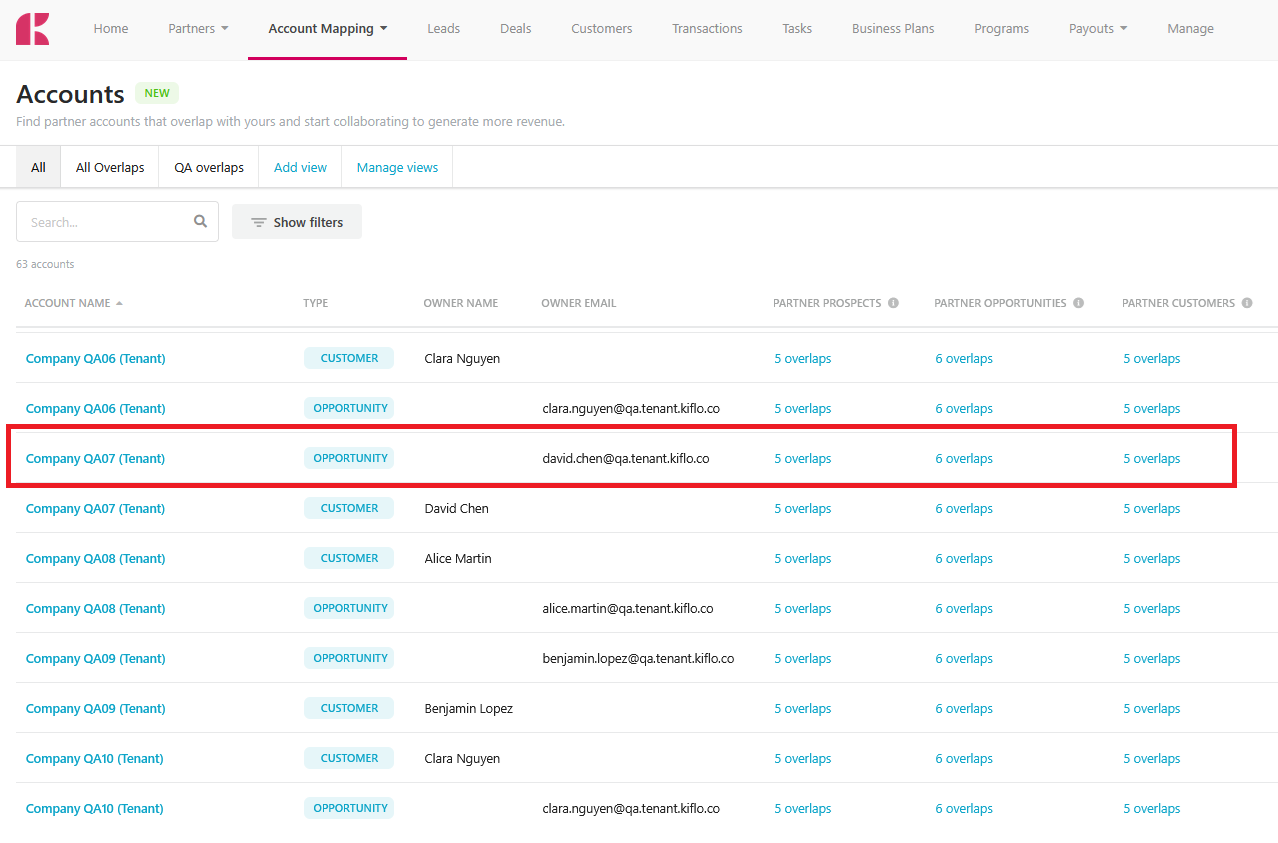
Click an overlap count (for example, 5 overlaps) to drill into the matching accounts.
You can also:
- Search for a specific account using the search box.
- Click Show filters to filter the list (for example, by account type or by overlap count).
- Switch between saved views, or create your own with Add view.
- Click edit columns to choose which columns are displayed.
Finding overlaps for a specific partner
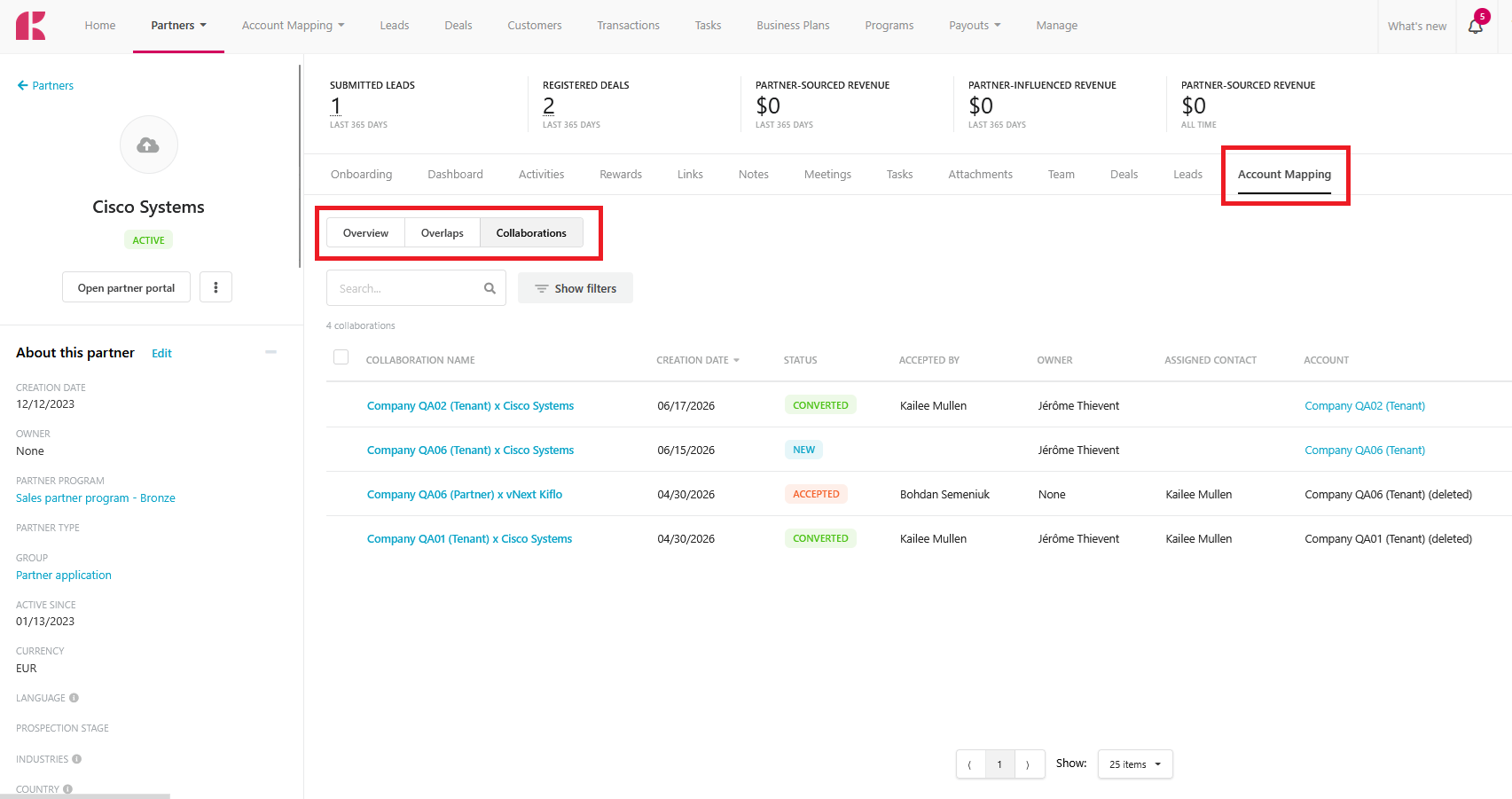
Every partner profile has an Account Mapping tab that focuses on the overlaps you share with that one partner. Open a partner from the Partners page and select the Account Mapping tab. Its sub-tabs switch between views:
- Overview: an overlap matrix between this partner's accounts and all your accounts.
- Overlaps: the full list of overlapping accounts.
- Collaborations: the collaborations you've started with this partner.
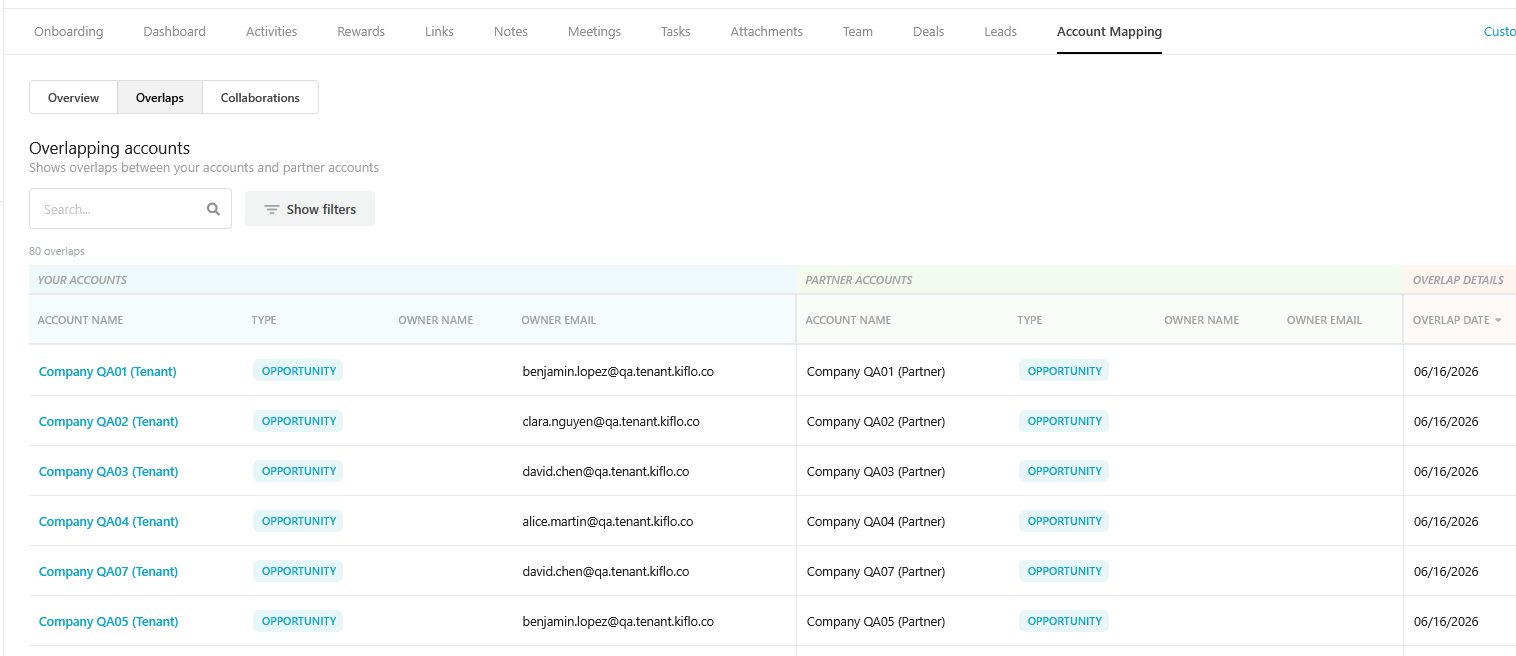
On the Overlaps sub-tab, the table is split into Your accounts (blue) and Partner accounts (green), showing the account name, type, and owner on each side, plus the Overlap date.
Reading the overlaps matrix
The overlaps matrix cross-references account types. Rows represent the partner's account types (Customers, Opportunities, Prospects), and columns represent your account types. Each cell shows the number of overlaps for that combination.
For example, the cell where partner Customers meets your Customers tells you how many companies are customers of both you and the partner. Click a cell's count to see the underlying accounts.